Introduction
If you need to prepare documents for translation for a visa, court matter, university application, passport process, employer request, or legal filing, the fastest way to avoid delays is to fix the document pack before anyone starts translating. Most problems do not begin with the translation itself. They begin with cropped scans, missing pages, unclear authority requirements, or names that do not match the passport spelling.
A good translation starts with a usable source file. This does not mean “perfect design files” or corporate-style editable documents. For official paperwork, it usually means something much simpler: every page is present, every stamp is visible, every handwritten note is readable, and the translator knows exactly where the final document will be submitted.
That is what this 15-minute pre-flight checklist is for. A document can be translated quickly, but a document pack with missing pages, unclear scans, or conflicting name spellings creates delays before the real work even begins. If you want your file to move smoothly from quote to delivery, use the checklist below before you upload anything.
What “translation-ready” actually means
A document is translation-ready when it is:
- complete
- legible
- correctly ordered
- matched to the receiving authority’s requirements
- consistent in names, dates, numbers, and document details
- sent with enough context for the translator to prepare it properly
For official submissions, translation-ready usually also means you know whether you need:
- a certified translation
- a notarised translation
- a sworn translation
- printed copies
- digital PDF delivery only
- the original-language document included alongside the translation
That one point matters more than many people realise. Some authorities only want a certified translation. Others want a notarised pack. Others care most about whether the translation can be independently verified and clearly matched to the original. If you are unsure, upload the requirement screenshot, email, or application instruction with the document. That can save days of back-and-forth.
The 15-minute pre-flight checklist
Minutes 0–3: Check what the receiving authority actually wants
Before you send a single file, answer these five questions:
1. Where will you submit the translation?
Be specific. “For immigration” is not enough. “For a UK spouse visa application” is useful. “For a university in Manchester” is useful. “For a solicitor preparing a court bundle” is useful.
The receiving organisation affects:
- certification wording
- whether a full translation is needed
- whether seals, stamps, and annotations must be described
- whether printed copies may be needed
- whether notarisation or apostille support might be required
2. Do they want certified, notarised, or sworn translation?
Do not assume all “official” uses require the same thing. A few examples:
- a visa or Home Office-related submission often needs a certified translation
- some overseas authorities ask for sworn translation
- some legal or international use cases require notarisation in addition to the translation
If the requirement is unclear, send the authority wording with your file rather than guessing.
3. Do they need the full document or just part of it?
For official use, partial translation is often risky unless the recipient clearly allows it. If the back page contains a stamp, handwritten endorsement, registrar note, or reference number, that may need to be accounted for.
4. Do they need the original-language document submitted with the translation?
Many official processes do. Keep your source file ready to send alongside the translated version.
5. Is there a deadline?
Tell the translation team up front. A same-day request with a clean, complete file is often manageable. A same-day request with missing pages and blurry seals usually is not. The fastest move is to upload the document, the deadline, and the submission requirement together in one message.
Minutes 4–6: Check for missing pages before anyone quotes or translates
This is where a surprising number of avoidable delays start.
Check the obvious pages first
Make sure you have:
- the front page
- the back page
- every interior page
- annexes or attachments
- registrar pages
- signature pages
- pages with stamps, seals, references, or handwritten notes
Check the non-obvious pages too
These are the pages people forget most often:
- reverse sides of certificates
- pages with apostilles or legalisation notes
- pages containing translation-relevant endorsements
- pages showing amendments, marginal notes, or corrections
- attachment pages in court, academic, and financial documents
- pages with barcodes, serial numbers, or issue references
A document may look complete to the client but incomplete to the receiving authority.
Use this quick completeness check
Ask yourself:
- Does the page numbering run logically?
- Are there page totals shown anywhere?
- Are any edges cropped?
- Are there references to annexes that are not included?
- Does the document mention seals, stamps, exhibits, or enclosures that are missing from the scan?
If the answer is yes, fix that before sending the file.
Minutes 7–9: Fix scan quality and readability
A translator cannot reliably prepare what they cannot clearly read. For official documents, scan quality matters because names, dates, stamps, document numbers, handwritten notes, and issuing authority details often sit in the hardest-to-read parts of the page.
What a good source scan looks like
A good source file is:
- sharp, not blurred
- fully visible from edge to edge
- flat, not curved at the corners
- free from glare and shadow
- properly oriented
- ordered correctly
- saved in a common format such as PDF, JPG, or PNG
What makes a scan risky
Retake the image if you see:
- cropped corners
- cut-off reference numbers
- glare over seals or signatures
- shadows across text
- heavy compression
- low contrast
- fingers covering text
- angled phone photos that distort lines
- multiple pages merged out of order
Use colour when colour carries meaning
If the stamp, seal, annotation, highlight, or official mark is easier to understand in colour, send a colour scan.
Do not “improve” the document by editing it
Do not erase marks. Do not retype missing sections yourself. Do not cover figures you think are unimportant. Do not rebuild the layout in Word. For official submissions, the translator needs the document as it exists, not a cleaned-up version that may create questions later.
Minutes 10–12: Lock down names, spellings, dates, and authority details
This step prevents some of the most frustrating resubmissions.
Match names to the document that matters most
If the translation will be compared against a passport, residence permit, or national ID, use that spelling as your reference point. Check:
- full name order
- middle names
- hyphens
- apostrophes
- maiden names
- married names
- double surnames
- transliteration preferences
- diacritics if relevant to the receiving authority
Tell the translator about any name variation before work starts
Examples:
- “The birth certificate shows my maiden name, but the passport uses my married name.”
- “My diploma uses one spelling, but my passport uses another.”
- “The police certificate includes my father’s name in the surname field.”
That kind of note can prevent a translation from being technically accurate but practically awkward to submit.
Check dates and number strings
Make sure the source scan clearly shows:
- issue dates
- birth dates
- expiry dates
- case numbers
- ID numbers
- policy numbers
- account references
- registry entries
If any of those are unclear in the scan, retake it before sending.
Do not alter figures
For financial or legal documents, never edit the numbers “to make them clearer.” The translator should work from the original, not from a client-modified version.
Minutes 13–15: Send a clean, complete translation brief
You do not need a long brief. You need a useful one. Send these details with the file:
- target language
- where the translation will be submitted
- deadline
- whether certification is required
- whether hard copies are needed
- your preferred name spelling if relevant
- whether there are multiple related documents in one pack
- any screenshot or wording from the receiving authority
Name your files clearly
Bad:
- scan1.jpg
- document-final-final.pdf
- image_0045.png
Better:
- birth-certificate-original.pdf
- marriage-certificate-back-page.jpg
- passport-photo-page.pdf
- bank-statement-january-2026.pdf
- UKVI-requirement-screenshot.png
Keep one document pack together
If several documents belong to one application, say so. For example:
- passport + marriage certificate + bank statement for spouse visa
- diploma + transcript for university admission
- court order + affidavit + passport for solicitor submission
That gives the translator the right context from the beginning.
The one-page checklist you can copy into your workflow
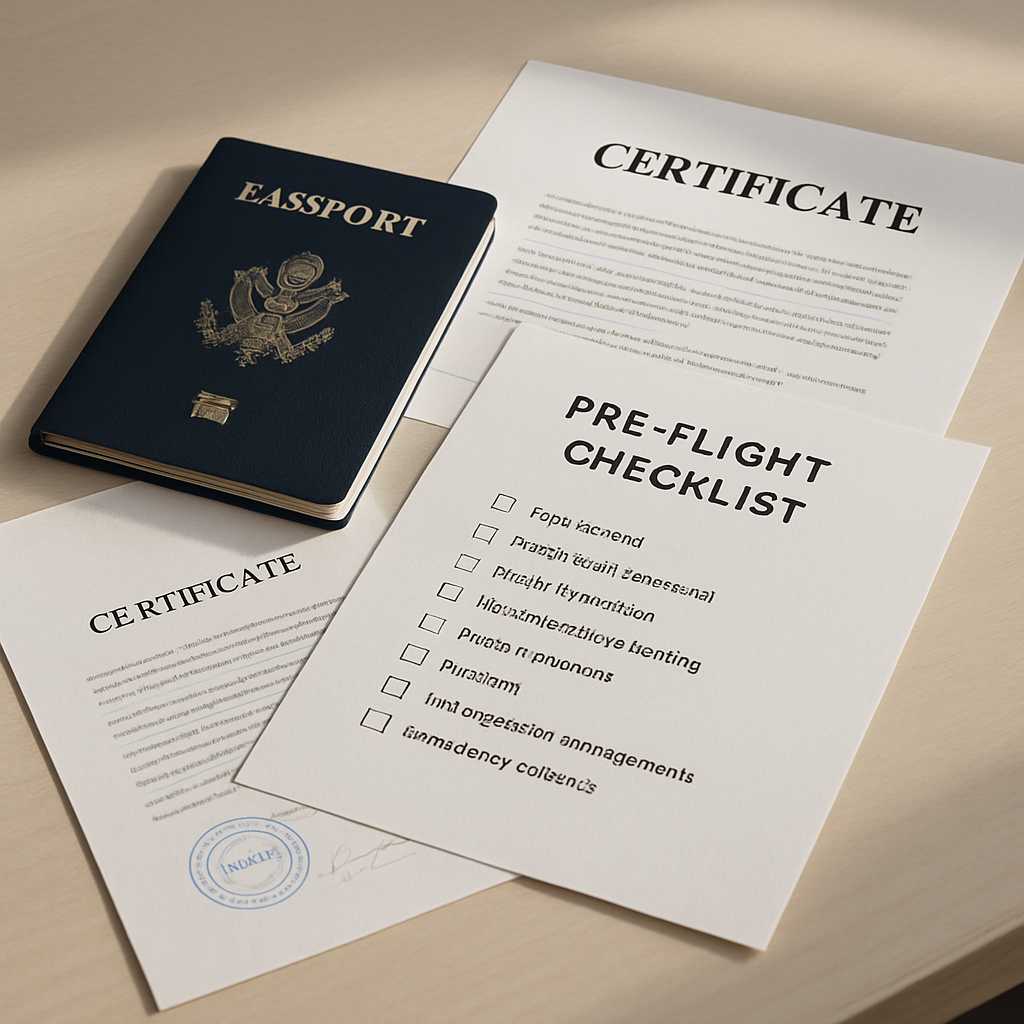
Pre-flight checklist before you upload
- I know exactly where the translation will be submitted.
- I know whether I need certified, notarised, or sworn translation.
- I have included every page, including backs, annexes, and stamp pages.
- My scans are sharp, uncropped, and readable.
- Seals, signatures, and handwritten notes are visible.
- Dates, document numbers, and authority names are clear.
- I have checked name spellings against passport or ID.
- I have explained any maiden name, married name, or transliteration issue.
- My files are named clearly.
- I have included the deadline.
- I have attached any authority instruction or screenshot.
- I have said whether I need digital delivery only or printed copies too.
If you can tick every line above, your document pack is in a strong position.
Official-document examples: what to check before translation
Birth and marriage certificates
Check for:
- registrar stamps
- back-page notes
- issue dates
- marginal annotations
- maiden and married name differences
- place names that are faint or partly cropped
These documents are often short, but they carry high risk if one detail is missed.
Passports and ID documents
Check for:
- full machine-readable page visibility
- clear passport number
- issue and expiry dates
- visible place of birth
- legible authority name
- visas, endorsements, or stamps if they are part of the requested pages
Bank statements and financial proof
Check for:
- full account holder name
- bank logo and header
- statement period
- page totals
- running balances
- all pages in order
- no cropped transaction rows
- no shadow over figures
Financial proof is one of the worst places to send partial pages.
Diplomas and transcripts
Check for:
- award title
- institution name
- issue date
- transcript grading pages
- signature blocks
- seals and embossments
- reverse pages with explanatory grading scales
Academic packs often fail when the diploma is sent but the transcript or grading explanation is forgotten.
Court and legal documents
Check for:
- every exhibit or annex referenced
- signature pages
- court seal visibility
- handwritten endorsements
- page numbering continuity
- all stamped pages
- attachments mentioned in the main order
Legal documents are rarely forgiving of incomplete packs.
Common mistakes that slow everything down
1. Sending screenshots instead of document files
A screenshot of part of a PDF is rarely enough for official use.
2. Sending one page and saying “the rest is the same”
The missing page is often the page that matters.
3. Cropping out blank-looking areas
That “blank” area may contain an embossment, registry reference, page number, or handwritten note.
4. Forgetting reverse sides
Back pages often contain issuing details, filing references, apostilles, or official endorsements.
5. Assuming all authorities want the same certification
They do not.
6. Ignoring name mismatches until after delivery
Fix the reference spelling before the translation starts, not after the certificate has been issued.
7. Mixing unrelated documents in one upload without explanation
If the translator cannot tell what belongs together, the workflow slows down immediately.
A better way to think about speed
People often think speed means rushing the translator. In practice, speed usually comes from removing uncertainty before the translator starts. A clean file pack does four important things:
- reduces quote delays
- reduces clarification emails
- reduces formatting risk
- reduces the chance of rework after delivery
That is why document preparation matters so much. It is not admin for the sake of admin. It is the part that protects the final result.
Need a translation quickly without risking a rejection?
Upload your file with the authority requirement and deadline in the same message. A strong submission usually starts with a fast document review, confirmation of the right certification level, and a clear quote before work begins. For urgent cases, do not wait until after a file has been translated to mention:
- “This is for UKVI”
- “The solicitor needs printed copies”
- “The university wants the transcript too”
- “My passport spelling is different”
- “There is writing on the back page”
Those details belong at the start.
What a strong handover looks like
Here is a simple message a client can send:
Hello, I need these documents translated into English for a UK spouse visa application. Please provide certified translation. My deadline is Monday at 10am. Please use my passport spelling for my surname. I have attached the original documents and the requirement screenshot from the application guidance.
That message alone answers most of the questions that otherwise create delay.
Final check before you upload
Before you send your files, ask:
Would a stranger be able to understand what this document is, whether it is complete, where it is going, and how my name should appear?
If the answer is yes, you are ready. If the answer is no, spend five more minutes now. It is almost always faster than fixing the problem later. Need help checking your documents before translation starts? Upload your file and ask for a quick readiness review. That first check can save far more time than it takes.
FAQs
How do I prepare documents for translation for a visa application?
Start by checking the exact authority requirements, then make sure every page is included, every stamp is visible, and the scans are readable. Confirm whether you need certified translation and send the requirement screenshot with the document pack.
Should I check missing pages before I send documents for translation?
Yes. Missing pages are one of the most common reasons for delays, re-quotes, and follow-up requests. Always check front and back pages, annexes, signature pages, and stamped pages before uploading.
Does scan quality matter when I prepare documents for translation?
Yes. Poor scan quality can make names, dates, document numbers, handwritten notes, and seals unreadable. If the source is unclear, the final translation may be delayed while replacement scans are requested.
Why do name spellings matter in certified translation?
Official translations are often compared against passports, IDs, visas, academic records, or legal files. If the spelling format is inconsistent across documents, it can create avoidable questions during submission.
Do I need certified or notarised translation?
That depends on the receiving authority. Many official submissions only require certified translation, while some legal or international use cases may also require notarisation or another form of authentication.
What is the fastest way to avoid delays in document translation?
Send a complete, readable file pack together with the submission purpose, target language, deadline, preferred name spelling, and any authority requirement screenshot. Clear information at the start is what usually makes urgent turnaround possible.